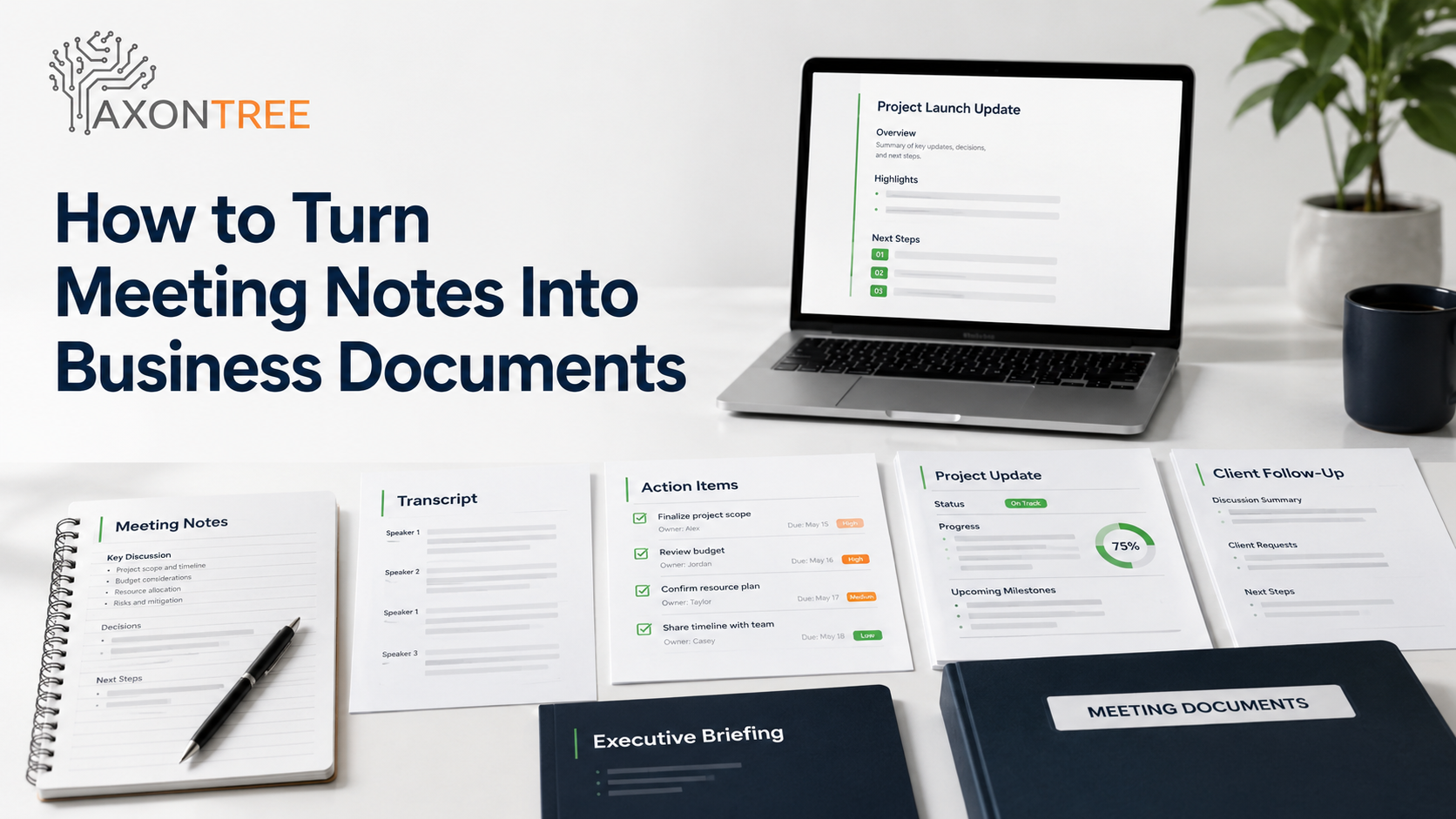
To turn meeting notes into business documents, teams need to organize discussions into clear decisions, action items, owners, deadlines, and next steps. Most meetings do not fail during the meeting. They fail after the meeting ends.
Ideas are shared, decisions are mentioned, and tasks are assigned. But when notes, transcripts, emails, and project updates stay scattered, someone has to rebuild the conversation later into a follow-up, client summary, briefing, or decision document.
Quick Answer
Meeting notes can be turned into decision-ready business documents by organizing the discussion into a clear structure that captures decisions, action items, owners, deadlines, risks, next steps, and supporting context. Instead of leaving notes as raw text or transcripts, teams can use AI document automation to create structured follow-ups, summaries, project updates, leadership briefings, and client-ready documents that are easier to review and act on.
The goal is not just to summarize what was said. The goal is to create a document that helps people understand what matters, what changed, who owns what, and what should happen next.
Why Meeting Notes Often Fail After the Meeting
Meeting notes are useful only if they help people act.
The problem is that many meeting notes are not written for action. They are written as a rough record of the conversation. They may capture what was discussed, but they often fail to show what was decided, who is responsible, what needs approval, and what should happen next.
This creates several common problems:
- Action items are unclear.
- Decisions are buried inside long notes.
- Owners and deadlines are missing.
- Follow-ups are delayed.
- Project updates are rewritten manually.
- Client summaries sound inconsistent.
- Leadership briefings lack context.
- Different team members interpret the same meeting differently.
Microsoft’s 2025 Work Trend research highlights modern work interruptions and meeting overload, which helps explain why meeting follow-ups often get lost.
For small businesses, this creates wasted time and weaker client communication. For enterprise teams, it creates operational drag, inconsistent reporting, and slower decision-making across departments.
A meeting is supposed to move work forward. If the notes do not become a usable business document, the meeting creates more information but not necessarily more clarity.
Meeting Notes Are Not the Same as Business Documents
Raw meeting notes, transcripts, and business documents each serve different purposes.
| Format | What It Captures | Main Limitation | Best Use |
|---|---|---|---|
| Raw meeting notes | Important points written during the meeting | Often incomplete or personal to the note-taker | Personal reference |
| Meeting transcript | Everything said during the meeting | Too long and difficult to act on | Record of conversation |
| Meeting summary | Main topics discussed | May miss decisions, owners, and next steps | Quick recap |
| Meeting follow-up | Decisions, actions, owners, deadlines | Usually needs manual structure | Team accountability |
| Decision-ready business document | Context, decisions, risks, actions, and next steps | Requires a clear workflow | Client updates, project reports, leadership briefings, and operational documents |
This difference matters.
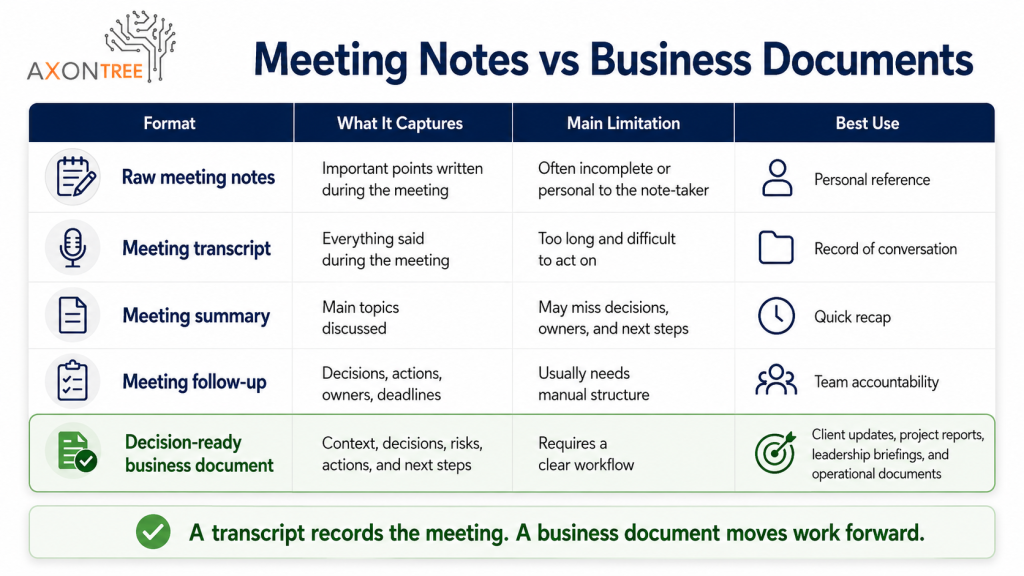
A transcript tells you what was said. A summary tells you what was discussed. A decision-ready document tells you what matters and what needs to happen next.
How to Turn Meeting Notes Into Business Documents With AI
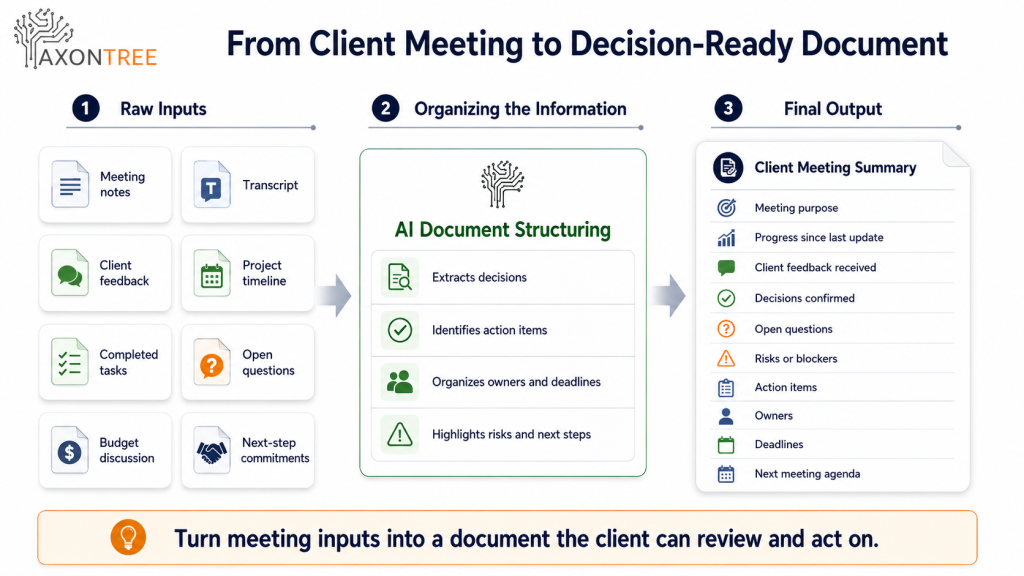
AI can help teams move from raw meeting information to a structured document workflow. The process works best when it follows five clear steps.
Step 1: Capture the Right Meeting Inputs
Start with the meeting materials that matter. These may include meeting notes, call transcripts, chat messages, shared documents, project files, client emails, presentation slides, spreadsheets, action item lists, and previous meeting records.
More input is not always better. The right input is the information that supports the final document. A client meeting follow-up may need the transcript, the client questions, the agreed next steps, pricing notes, and the related proposal. A leadership briefing may need project status, risks, deadlines, owner updates, and decisions required.
Step 2: Define the Output Before Drafting
Before turning meeting notes into a document, decide what the final output needs to do. Ask whether the output is for a client, internal team, project manager, or executive. Decide whether it should summarize discussion, drive action, record decisions, or prepare a follow-up.
This is where many teams make mistakes. They ask AI to summarize the meeting when they actually need a client follow-up, decision brief, project update, or executive-ready document.
Step 3: Apply a Business Document Structure
A decision-ready document needs structure. Depending on the meeting type, it may include meeting purpose, attendees, key discussion points, decisions made, action items, owners, deadlines, open questions, risks, blockers, client concerns, recommended next steps, and follow-up timing.
A structure makes the document easier to review and easier to compare over time. For recurring meetings, this is especially important because a weekly project update, monthly client review, or leadership meeting should not have a different format every time.
Step 4: Generate a Structured First Draft
Once the inputs and structure are clear, AI can help organize the information into a first draft. This reduces the manual work of reading long transcripts, searching for decisions, rewriting notes into professional language, separating discussion from action, and formatting the output.
One meeting can support multiple outputs, such as a client follow-up, an internal action list, a project update, a leadership summary, or a presentation briefing. The core information may be the same, but each document needs a different structure and level of detail.
Step 5: Review, Validate, and Share
A responsible workflow always includes human review. Before sharing a meeting-based document, confirm whether decisions were captured correctly, action items are assigned to the right people, dates are accurate, confidential information is removed, and the tone fits the audience.
AI can organize the draft. The business owner, project lead, account manager, or department head must validate the final output.
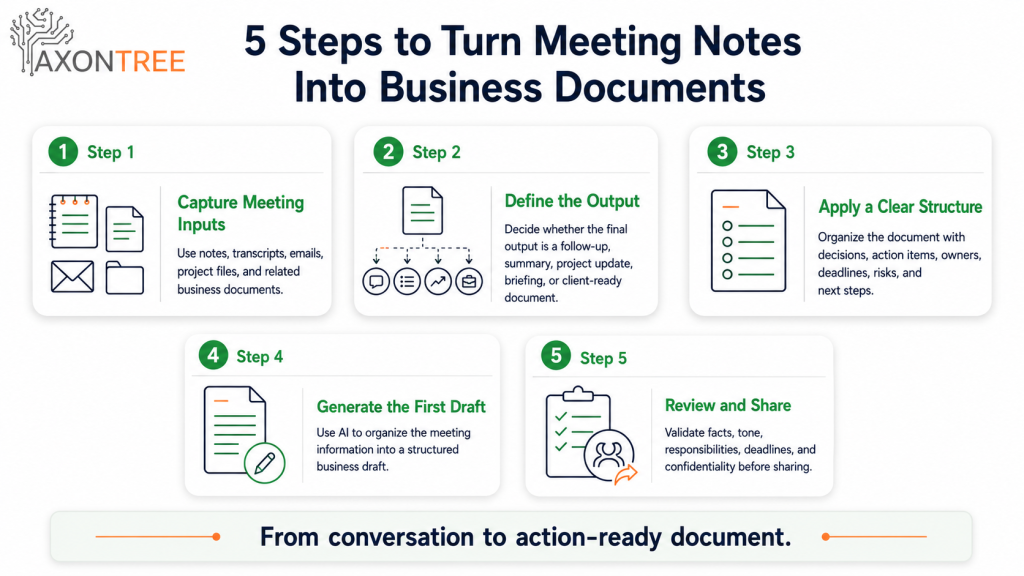
What Every Meeting Document Should Capture
A meeting document should not try to capture everything. It should capture what matters.
| Information Type | Why It Matters |
|---|---|
| Purpose | Explains why the meeting happened |
| Key context | Helps readers understand the background |
| Decisions made | Prevents confusion later |
| Action items | Turns discussion into accountable work |
| Owners | Makes responsibility clear |
| Deadlines | Keeps follow-up measurable |
| Risks or blockers | Shows what may affect progress |
| Open questions | Separates unresolved items from decisions |
| Next steps | Makes the document actionable |
This framework shifts meeting notes from a passive record into an active business tool.
Meeting Summary vs Follow-Up vs Decision-Ready Document
Many teams use these terms as if they mean the same thing. They do not.
| Output Type | Best For | Should Include |
|---|---|---|
| Meeting summary | Quick recap | Main topics, discussion points, general outcomes |
| Meeting follow-up | Team or client accountability | Decisions, action items, owners, deadlines, open questions |
| Project update | Ongoing work management | Progress, blockers, changes, risks, next steps |
| Executive briefing | Leadership decisions | Key progress, risks, decisions required, recommendations |
| Client-ready document | External communication | Clear context, agreed actions, timeline, next steps, professional tone |
The best output depends on the reader. A project manager may need tasks and deadlines. A client may need clear progress and next steps. An executive may need risks and decisions. A delivery team may need owners and responsibilities.
Infographic placement: Add the “Meeting Notes vs Business Documents” infographic after this section to make the difference easier to understand.
Where This Helps Most in Business Workflows
Client Meetings
Client meetings often create the most important follow-up work. A strong client meeting document can include a summary of the discussion, client goals or concerns, decisions confirmed, open questions, actions assigned to each side, updated scope or timeline, and next meeting points.
Project Meetings
Project meetings often involve updates, blockers, timelines, and responsibilities. AI can help turn meeting notes into project status updates, internal action lists, risk summaries, client progress documents, and leadership updates.
Leadership Meetings
Leadership meetings are not useful if outcomes remain trapped in notes. A decision-ready leadership document should highlight what changed, what needs attention, what decisions were made, what decisions are still required, what risks need escalation, and what the next priorities are.
Sales and Discovery Calls
Sales calls often contain buyer needs, objections, budget signals, timelines, and decision criteria. A structured document can help teams create discovery summaries, proposal inputs, follow-up emails, sales handoff notes, and client requirement documents.
Internal Operations Meetings
Operations meetings often create many small actions that are easy to forget. A structured meeting document can capture process issues, assigned improvements, responsible owners, due dates, internal blockers, and escalation points.
Why This Matters for Canadian Businesses
Canadian businesses are increasingly exploring AI, but the strongest results come from practical workflows rather than broad experimentation.
Statistics Canada reported that 12.2% of Canadian businesses used AI to produce goods or deliver services in the second quarter of 2025, up from 6.1% a year earlier. It also reported that 14.5% of businesses planned to use AI over the following 12 months in the third quarter of 2025. The Canadian Federation of Independent Business reported that Canadian SMEs using generative AI saved an average of 1.08 hours per day. Statistics Canada also reported that more businesses planning to use AI are exploring applications such as chatbots, data analytics, and workflow support.
The lesson is simple: AI adoption alone is not enough. Teams need focused workflows where time savings and quality improvements are easy to observe. Meeting documentation is a strong place to start because meetings happen frequently, notes are often scattered, and follow-ups are easy to measure.
What Competitors Often Miss
Most content about this topic focuses on AI meeting summaries. That is useful, but incomplete.
A meeting summary may tell people what was discussed, but it may not show what needs approval, who owns each task, what risk needs attention, or what document should be sent to the client.
The real business problem is not only “How do we summarize meetings?” The better question is: “How do we turn meeting inputs into documents that help people act?”
That is where AI document automation is more valuable than a basic note-taking tool. It can help convert meeting information into structured documents that fit real business workflows, such as client updates, executive briefings, project documents, proposals, summaries, and presentations.
How AxonTree Helps Turn Meeting Notes Into Business Documents
AxonTree helps teams turn scattered business inputs into structured, professional documents. Meeting notes are only one input. A complete business document may also need spreadsheets, PDFs, project updates, emails, audio, video, client messages, or previous files. AxonTree is built around this broader workflow, helping teams move from everyday business information into professionally formatted Office-ready documents, summaries, briefings, and decision-ready outputs.
For small businesses, this can help turn client calls into cleaner follow-ups, project summaries, proposals, and client-ready documents. For enterprise teams, it can support more consistent leadership briefings, department updates, PMO summaries, and recurring business documents.
The value is not just faster note-taking. It is a clearer path from meeting information to usable business output.
Explore the AxonTree Workflow
Learn how AxonTree helps teams turn everyday business inputs into structured, review-ready documents.
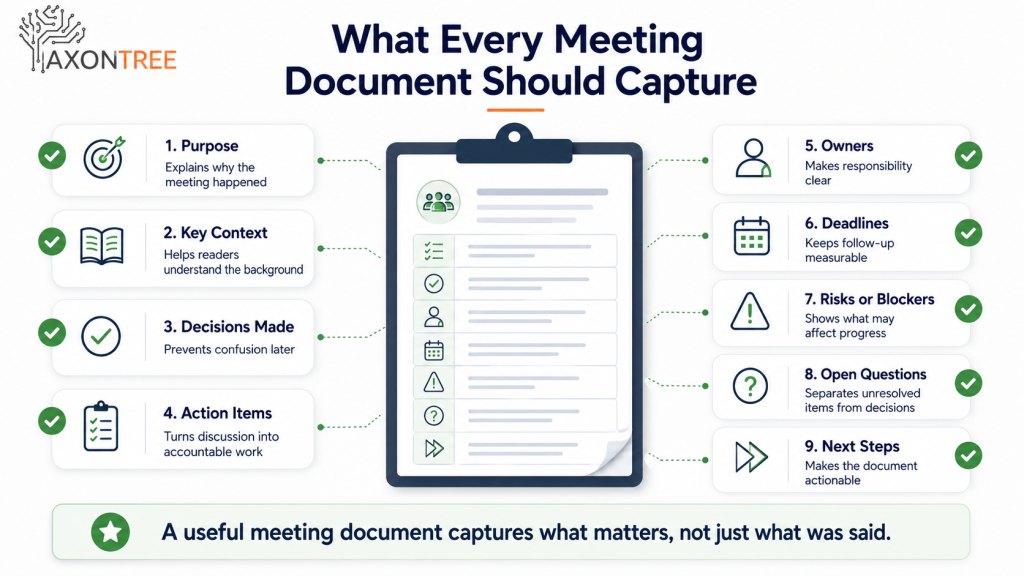
Practical Framework: Which Meeting Should You Automate First?
Not every meeting needs a structured document. Start with meetings that create repeated follow-up work.
| Question | If Yes, It May Be a Good Workflow |
|---|---|
| Does this meeting happen regularly? | A repeatable document structure can save time. |
| Does it create action items? | AI can help organize owners, deadlines, and next steps. |
| Does it involve clients or leadership? | A clearer document can improve communication. |
| Does the team often search notes afterward? | A structured output can reduce information hunting. |
| Are decisions often unclear later? | A decision-ready format can improve accountability. |
| Does follow-up take too long? | AI can reduce manual rewriting and formatting. |
Good first candidates include weekly project meetings, client check-in calls, sales discovery calls, leadership meetings, monthly review meetings, internal operations meetings, and department update meetings.
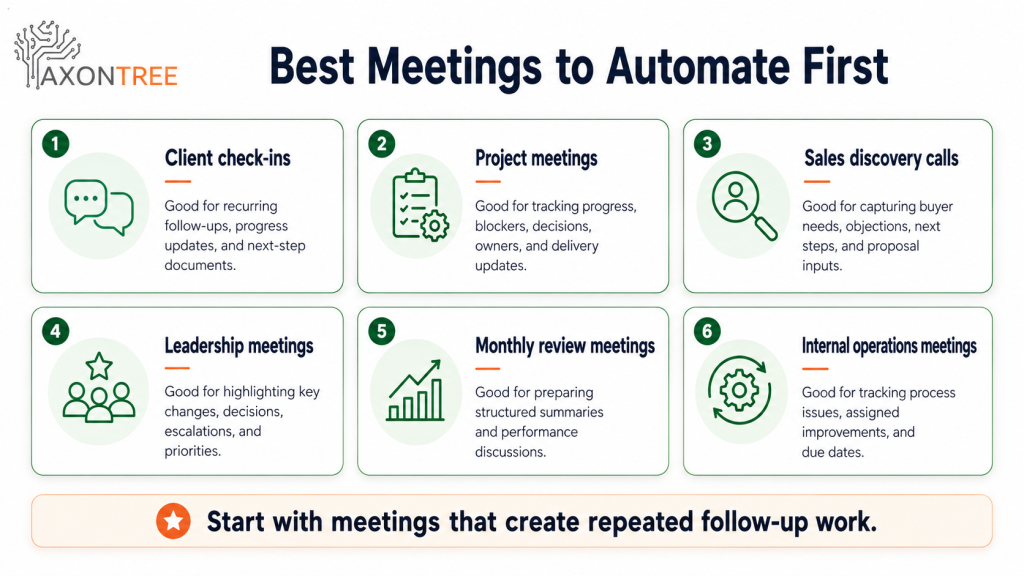
Example: Turning a Client Meeting Into a Decision-Ready Document
Imagine a small consulting firm has a client review meeting. The raw inputs may include meeting notes, a transcript, client feedback, project timeline, completed tasks, open questions, budget discussion, and next-step commitments.
A simple meeting summary might say what was discussed. A decision-ready client document would be more useful because it could include:
- Meeting purpose
- Progress since the last update
- Client feedback received
- Decisions confirmed
- Open questions
- Risks or blockers
- Action items
- Owners
- Deadlines
- Next meeting agenda
This gives both the business and the client a shared record of what matters. It also reduces back-and-forth because the document is structured around decisions and actions, not just discussion.
Common Mistakes to Avoid
Turning Every Meeting Into a Long Summary
Long summaries can create more work, not less. A useful meeting document should focus on decisions, actions, risks, and next steps.
Treating the Transcript as the Document
A transcript is a record, not a business document. Use it as a source, then turn it into a structured output written for the reader.
Forgetting Owners and Deadlines
A meeting follow-up without owners and deadlines is weak. If nobody knows who is responsible or when something is due, the document will not drive action.
Mixing Confirmed Decisions With Open Questions
Separate what has been decided from what still needs clarification. This prevents confusion in client, project, and leadership meetings.
Sending AI Output Without Review
AI can help draft the document, but people must confirm facts, tone, context, privacy, and accuracy before sharing it.
What To Do Next
If your team spends too much time turning meetings into follow-ups, start with one recurring meeting.
1. Choose one meeting type that creates repeated documentation work.
2. Define the final output you need, such as a follow-up, briefing, update, or summary.
3. List the inputs used after the meeting.
4. Create a repeatable structure with decisions, actions, owners, deadlines, and next steps.
5. Generate a first draft from the meeting inputs.
6. Review for accuracy, context, confidentiality, and tone.
7. Compare preparation time, review quality, and follow-up clarity.
8. Improve the workflow before using it across more meetings. The goal is not to automate every meeting. The goal is to turn important meetings into clearer business documents with less manual effort.
Turn meeting notes into structured business documents faster.
AxonTree helps teams organize meeting notes, transcripts, emails, PDFs, spreadsheets, and project updates into decision-ready documents, summaries, briefings, and Office-ready outputs.
Book a DemoFinal Takeaway
Meeting notes only create value when they help people act.
A basic summary can tell your team what was discussed. A decision-ready business document shows what changed, what was decided, who owns the next step, and what action is needed.
That is the difference between recording a meeting and moving work forward.
AxonTree helps businesses turn meeting notes, transcripts, emails, spreadsheets, PDFs, project updates, audio, video, and other business inputs into structured documents, summaries, briefings, and Office-ready outputs. For teams that rely on meetings to make decisions, this creates a more reliable way to move from conversation to action.
Frequently Asked Questions:
How do I turn meeting notes into business documents?
To turn meeting notes into business documents, organize the discussion into a clear structure with purpose, key points, decisions, action items, owners, deadlines, risks, and next steps. AxonTree supports this workflow by helping teams turn meeting notes, transcripts, and related business inputs into structured, review-ready documents.
Can AI turn meeting transcripts into action items?
Yes. AI can review meeting transcripts and identify possible action items, owners, deadlines, open questions, and follow-up tasks. With AxonTree, those meeting details can also be organized into a broader business document, such as a client follow-up, project update, summary, or briefing.
What should a meeting follow-up document include?
A meeting follow-up document should include the meeting purpose, decisions made, action items, owners, deadlines, open questions, risks or blockers, and next steps. AxonTree helps structure these details so teams can move from raw meeting information to a clearer document that is easier to review and share.
Are AI-generated meeting documents accurate?
AI-generated meeting documents can save time, but they should always be reviewed before sharing. Names, dates, decisions, responsibilities, figures, tone, and confidential information should be checked. AxonTree is designed to support structured document preparation, while keeping human review part of the workflow.
Can AI create client-ready documents from meeting notes?
Yes. AI can help turn meeting notes, transcripts, emails, PDFs, spreadsheets, and project updates into client-ready documents such as follow-ups, project summaries, briefings, proposals, and presentation-ready outputs. AxonTree helps businesses create these structured outputs faster while keeping the final review with the team.