
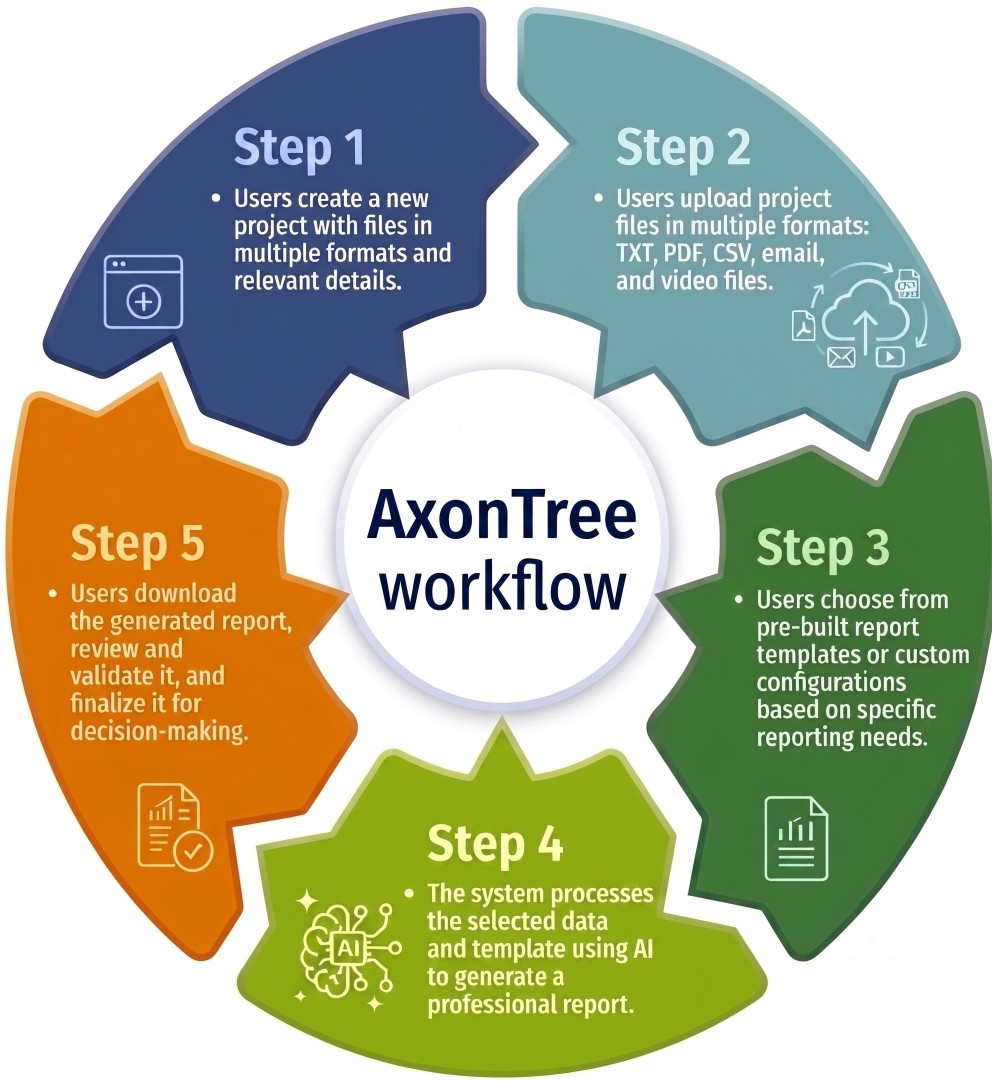
See how AxonTree turns business inputs into structured. decision-ready documents through a clear, repeatable workflow.
Start by entering your basic project details. This includes the project name, its category, the current phase, and your planned start and end dates.
Next, upload your raw data source files. You can upload a wide variety of formats, including Word documents, Excel sheets, PowerPoint decks, CSVs, PDFs, emails, or even audio and video files.
Choose a customized report template that matches your specific business identity. This ensures that the final output aligns perfectly with your desired data and company's branding.
Let the AxonTree AI engine do the heavy lifting by processing your uploaded information and to generate a highly professional, well-formatted business document.
Finally, download the generated document and review it for accuracy, context, and clear insights. Make sure to double-check the content to confirm there are no AI errors or hallucinations before sharing.

Get the latest updates,templates and reporting tips.